NexBale How it works Cotton & Textile IMS Contact Request a demo
How NexBale works

From raw HVI results to a quality-checked laydown — step by step.

NexBale follows the same path your floor already does, and keeps every cotton value under control at each stage. No change to how you test — just a steadier yarn from the cotton you have.

1Import

Bring in your test results

Map your HVI / DAT file once — tell NexBale where each value sits in the record — and from then on every bale's results come in automatically.
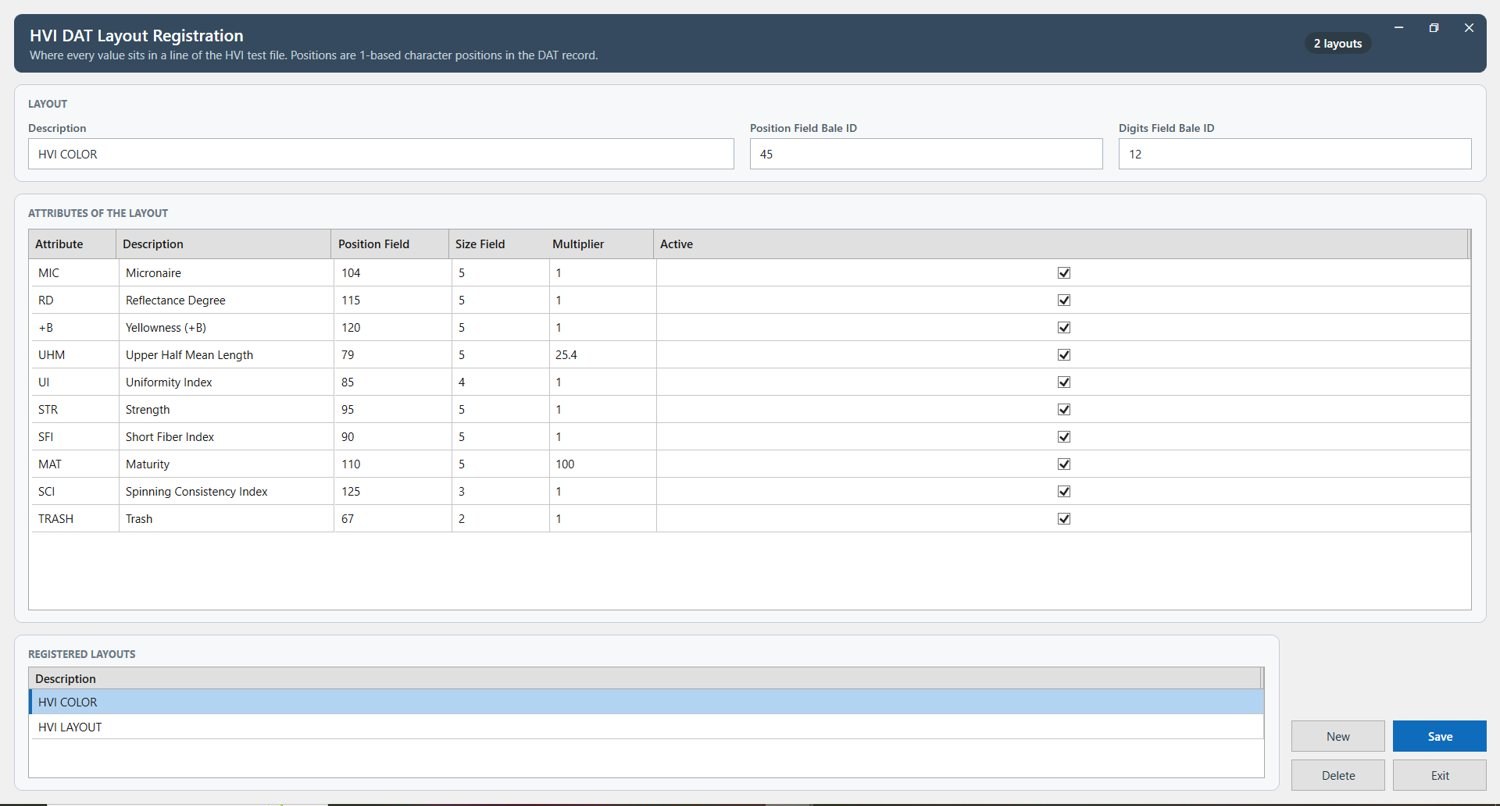
  • Reads results from any fiber testing system
  • Micronaire, RD, +b, length, strength, uniformity and more
  • Or enter bales by hand — no special hardware
NexBale HVI DAT layout registration
2Set limits

Tell NexBale your rules

Set the laydown size, daily consumption and the quality limits for each production line. Your mill, your tolerances — NexBale never changes them on its own.
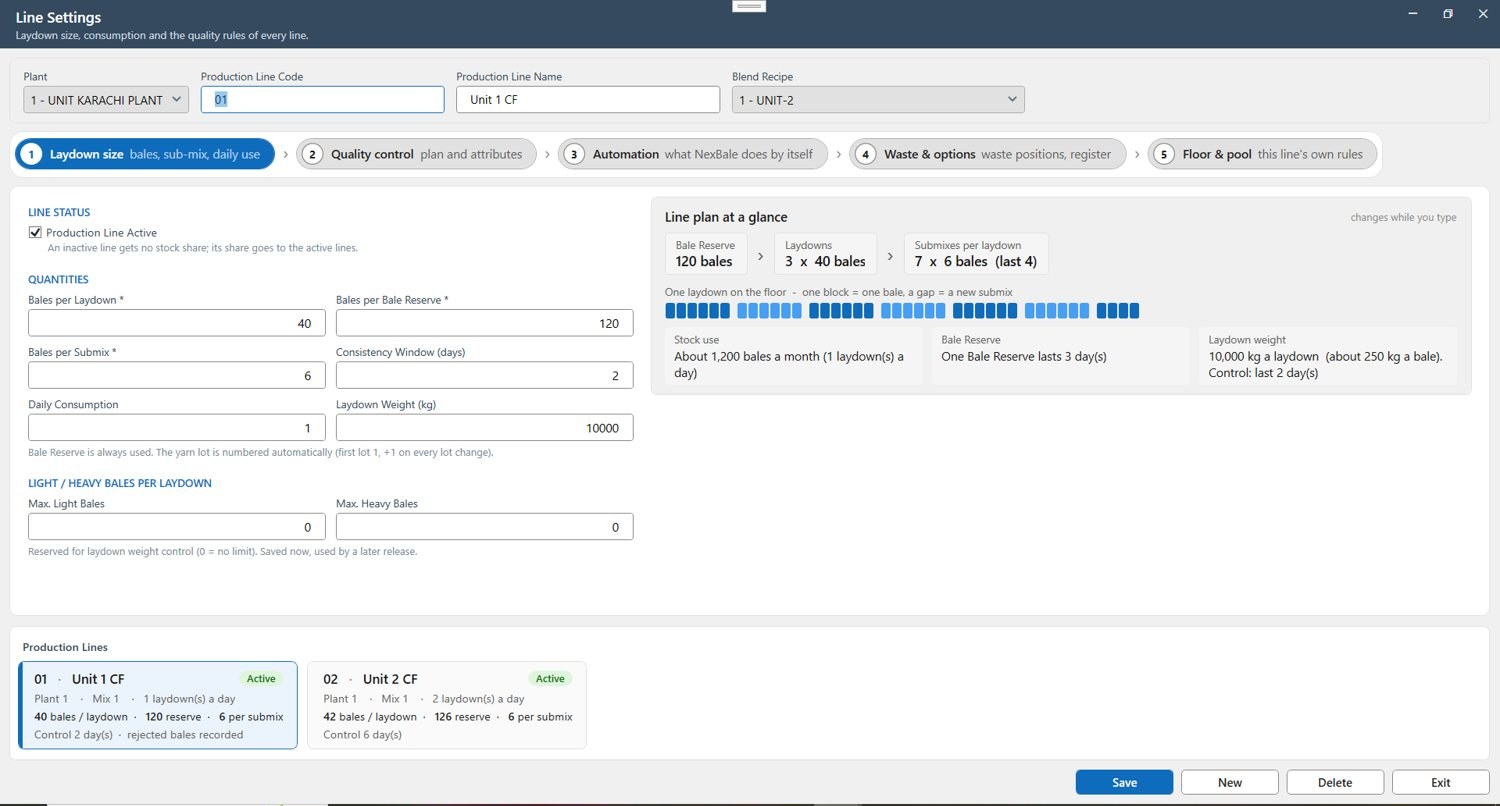
  • Quality limits per attribute, per line
  • Laydown size and consumption
  • Blend recipes you can reuse
NexBale line settings
3Plan cotton

Plan your cotton before you buy

The Cotton Input Planner shows how many days of each cotton type the line has, what the next lot should be, and what a lot you plan to buy will do to the laydown — all inside your own tolerances.
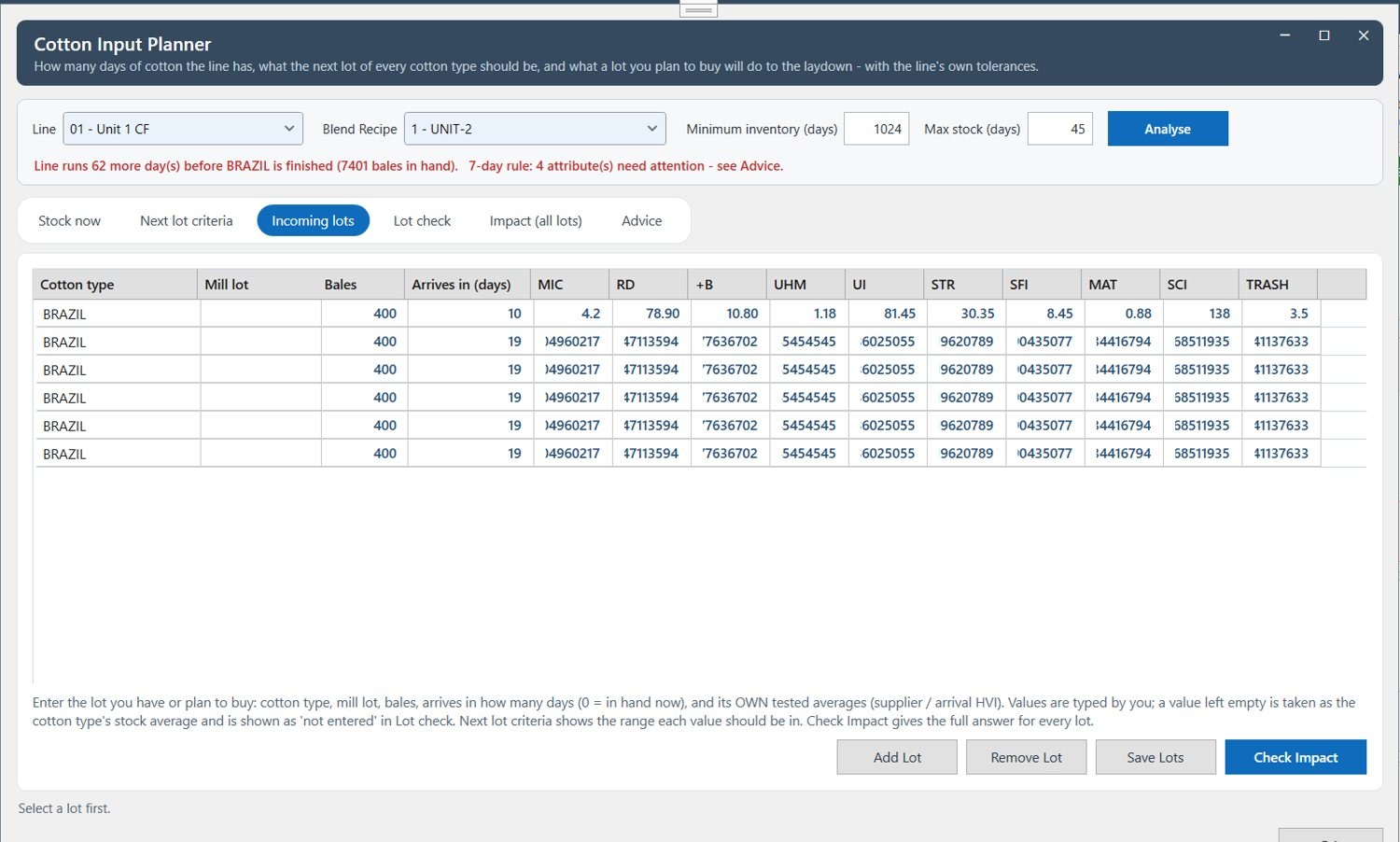
  • See a new lot's impact before you open it
  • Know how long your stock will last
  • Buy with the laydown, not against it
NexBale cotton input planner
4Build pool

Build the pool for each laydown

Pull bales into the laydown pool and watch the quality of the reserve update live — colour, mic, length, strength and more — so you know the mix is on target before a single bale moves.
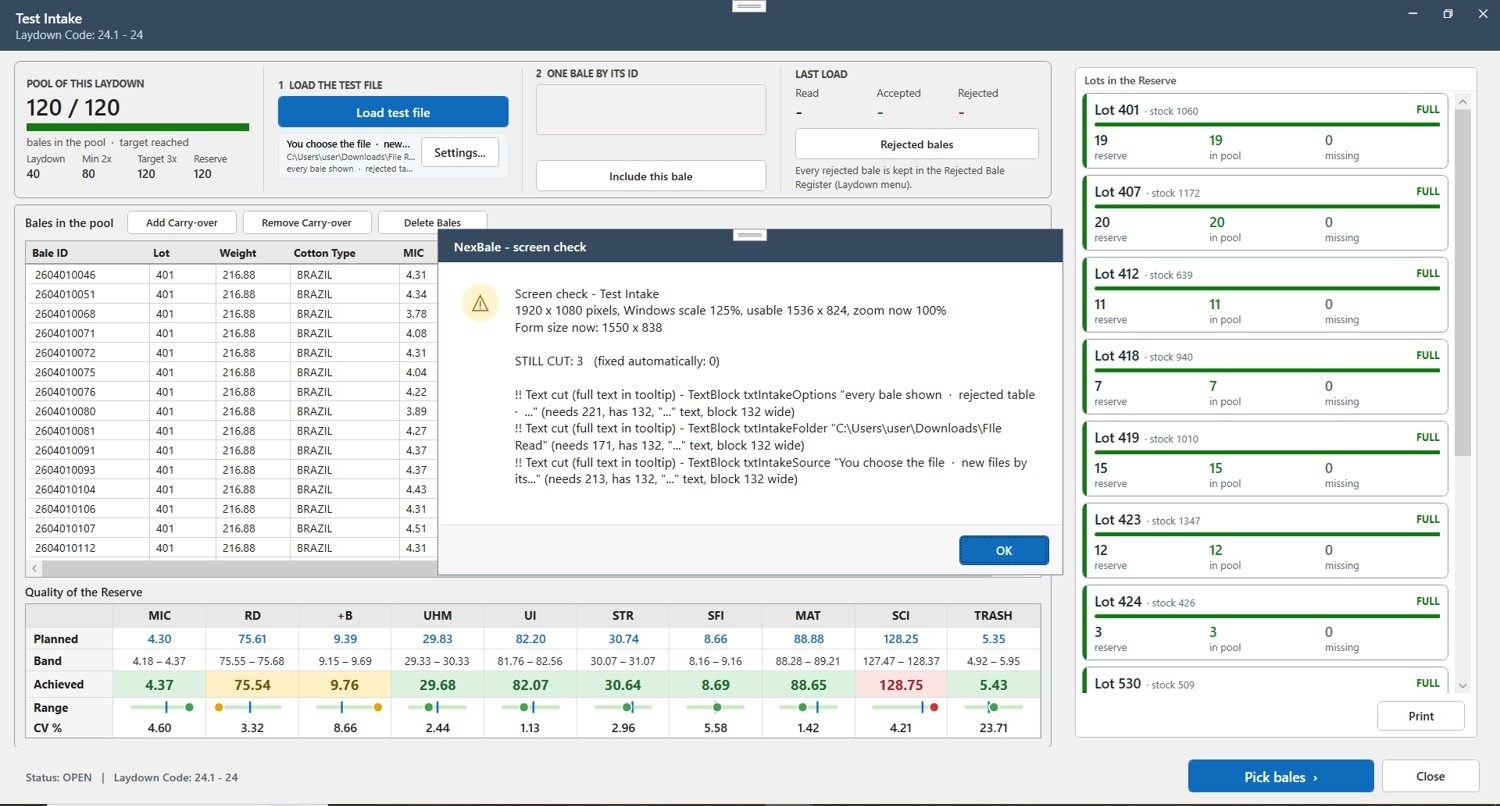
  • Live quality of the reserve as you add bales
  • Accepted and rejected bales, clearly flagged
  • Carry-over handled automatically
NexBale test intake
5Arrange & approve

Arrange, quality-check and release

A clear, controlled path for every laydown: open, test, pick bales, arrange the floor, quality-check and release. Nothing reaches the frames until the laydown is approved.
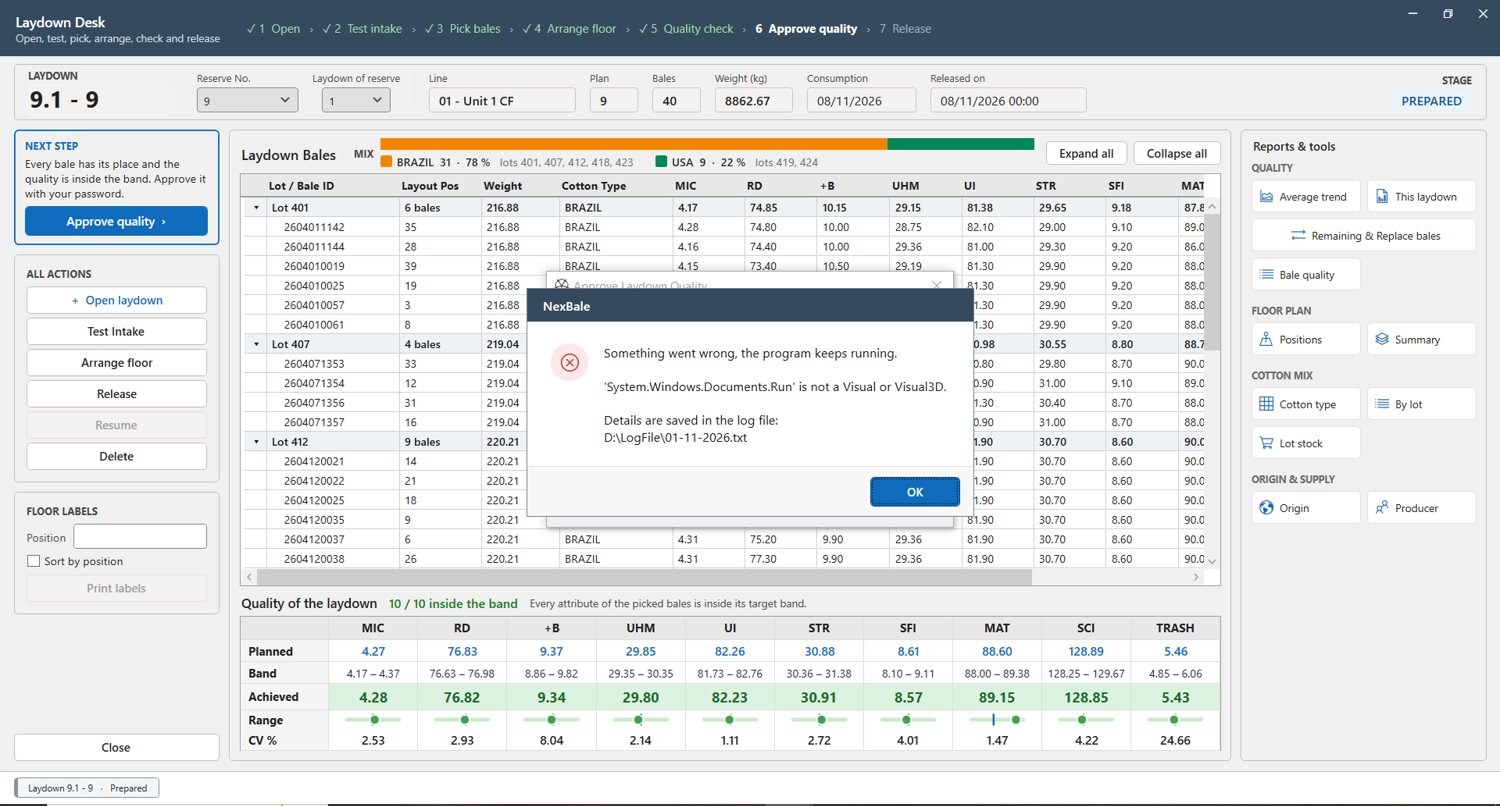
  • Step-by-step: open → pick → arrange → check → release
  • Floor layout and remaining bales in one view
  • Approve quality before release
NexBale laydown desk
6Watch & report

Watch the whole mill

One dashboard shows bales in stock, stock weight, days of cover, laydown quality and alarms — with reports your management can print or export any time.
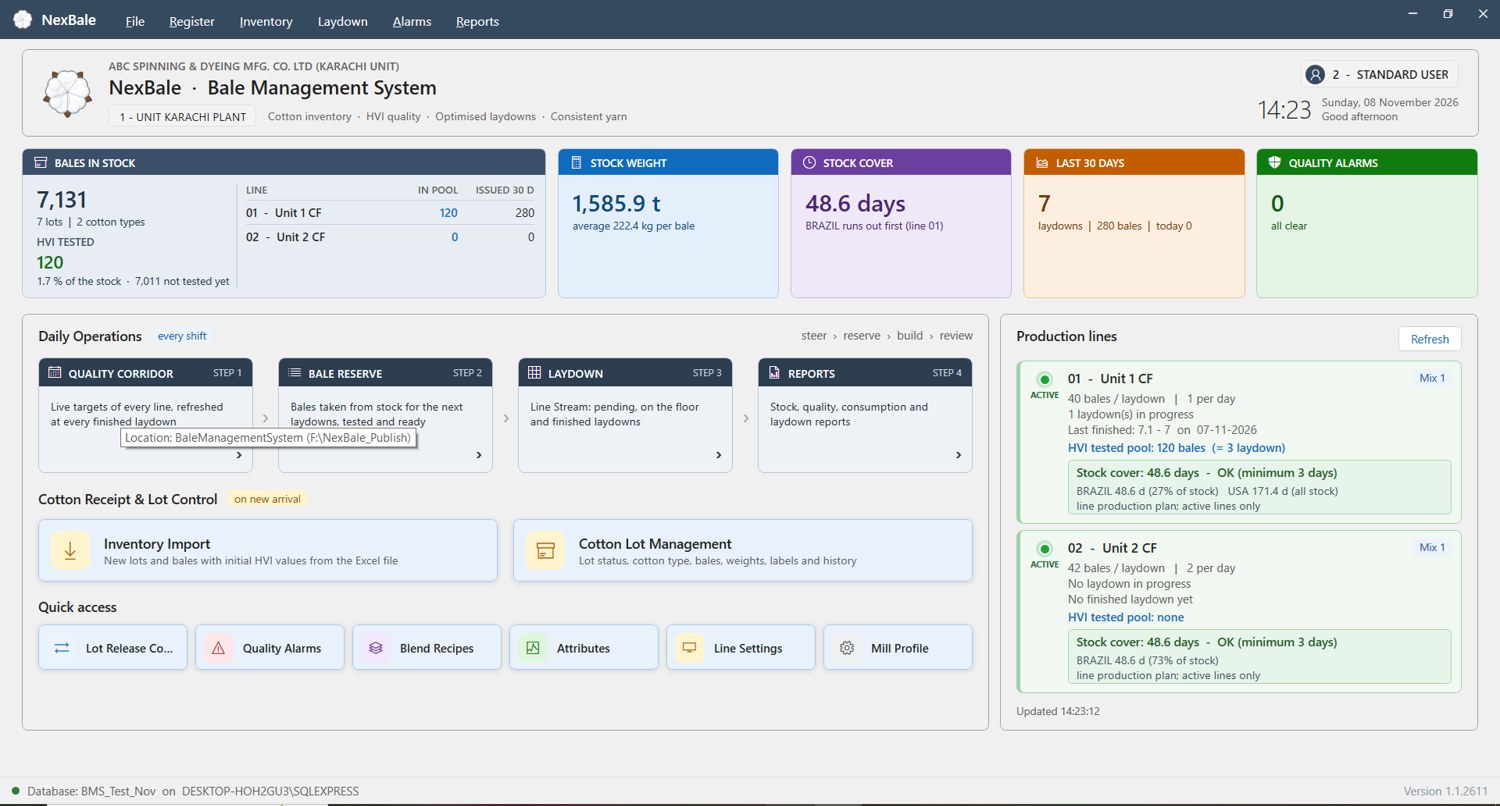
  • Stock, cover and quality at a glance
  • Alarms the moment a laydown drifts
  • Clean records for GM and QA
NexBale dashboard

See these steps on your own cotton

We'll walk you through NexBale with your mill's data and your own limits — no obligation, no change to how you test today.

Request a demo →